

Game Introduction
Style Studio: Avatar Designer is a creative tool that allows players to build custom characters from the ground up. Unlike many games with preset goals, this experience focuses on the joy of personal expression. Players begin by selecting a base head shape, then use a simple paintbrush tool to adjust skin tones to any color they imagine. From there, they can mix and match facial features like eyes, noses, and mouths, as well as choose from a variety of hairstyles and outfits. The game encourages experimentation without any pressure to follow trends or rules. Every design session is a fresh opportunity to explore new combinations and discover unexpected looks. This game is ideal for anyone who enjoys dress-up games but wants more freedom and fewer restrictions. The interface is clean and straightforward, making it easy for players of all ages to start creating immediately. Whether you prefer classic styles or bold, unconventional designs, this platform supports your choices. The core idea is simple: enjoy the process of creation without worrying about guidelines. It promotes positive self-expression through character design and is suitable for all ages.
How to Play
Playing Style Studio: Avatar Designer is straightforward. On a computer, players use the left mouse button to select and apply options. On a smartphone or tablet, tapping the screen works the same way. The first step is to choose a head shape from a selection of options. After that, the paintbrush tool lets you change skin tones to any color you like. Next, you customize facial features such as eyes, nose, and mouth. Then you move on to selecting outfits, accessories, and hairstyles. There are many combinations to try, and you can change your choices at any time. More detailed controls for specific features are explained within the game itself. The process is designed to be intuitive, so you can start creating right away without a long tutorial. You can save or share your creations if the game includes that option, but the main goal is simply to enjoy the act of designing.
Game Features
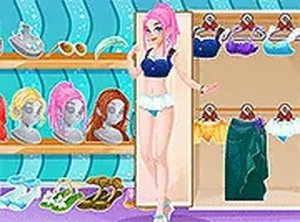
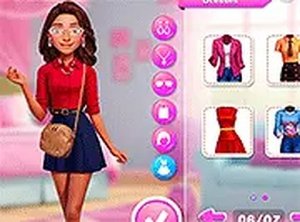
Style Studio: Avatar Designer includes a variety of customization options. You can choose from multiple head shapes to start your design. The paintbrush tool allows you to adjust skin tones to any shade you prefer. There are many facial features to mix and match, including eyes, eyebrows, noses, and mouths. The game offers a wide selection of outfits and accessories that let you create different looks. Hairstyles are also customizable, giving you control over color and style. The interface is simple and works on both computers and mobile devices. There are no timers or scores, so you can take as much time as you like. The game encourages experimentation and does not penalize any choices. It may also include options to save or share your finished characters, depending on the version you play.
Tips for Success
Take your time exploring all the available options before making final choices. Try combinations you would not normally consider to discover unexpected looks. Use the paintbrush tool to experiment with different skin tones and see how they change the overall design. If you are unsure, start with a simple base and add details gradually. The game has no wrong moves, so feel free to change anything as many times as you like. Most importantly, enjoy the creative process and design a character that makes you happy.



Player Comments
0 comments