
Game Introduction
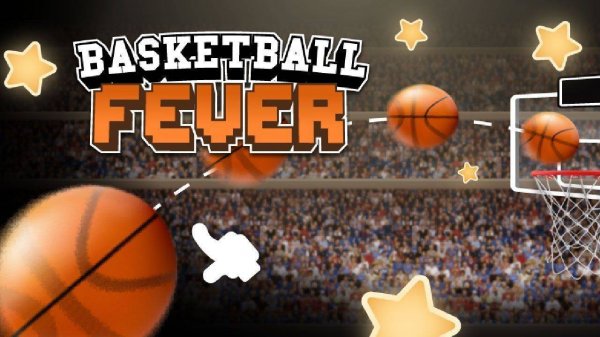
Basketball Fever: Hoop Flick Challenge is a casual sports game that recreates the classic arcade basketball experience on your device. The core objective is to flick a basketball into the hoop with precision and timing. Set in a 3D stadium environment, the game focuses on the simple yet addictive challenge of sinking baskets from various positions. It offers a pure test of skill and is designed to be accessible for players of all ages, providing a family-friendly and engaging experience. The game emphasizes accuracy and control, making each successful shot rewarding. Players can enjoy the satisfaction of mastering their flick technique as they progress through different scenarios. The visual presentation in a 3D stadium adds to the immersive feel, while the core gameplay remains straightforward and easy to pick up. This title is ideal for quick play sessions or longer practice runs, appealing to both casual gamers and sports enthusiasts. The game avoids complex rules or violent content, focusing instead on positive, skill-based fun that the whole family can enjoy together.
How to Play
Players typically aim and flick the basketball toward the hoop using a simple touch gesture. The game may include a trajectory guide to help line up shots. The key is to adjust the power and angle of each flick to account for different distances and positions. As players progress, they may face new challenges that require adapting their shooting technique. The controls are intuitive, making it easy for anyone to start playing and enjoy the satisfaction of making baskets. Success comes from learning the right amount of force for each shot and timing the release accurately. The game encourages players to experiment with different flick styles to find what works best for each situation. Practice and patience are essential for improving consistency and achieving higher scores.
Game Features
The game features simple flick controls that are easy to learn. It includes a 3D stadium environment that enhances the visual experience. Players can expect progressively challenging levels that test their accuracy. Realistic ball physics create satisfying movement and feedback. The endless score-chasing gameplay encourages replayability, as players strive to beat their personal bests and achieve higher scores. These features combine to create an engaging loop that keeps players coming back for more. The game is designed to be lightweight and accessible, running smoothly on most devices. Its focus on core mechanics ensures that every session is about improving skill rather than dealing with unnecessary distractions.
Tips for Success
To succeed, practice regularly to develop a consistent flicking motion. Pay attention to the trajectory guide and adjust your power based on the distance to the hoop. Stay patient and focus on accuracy rather than speed. As you encounter new angles and obstacles, adapt your technique by experimenting with different flicks. Taking short breaks can help maintain concentration and improve overall performance. Consistent practice is the most reliable path to improvement in this game.




Player Comments
0 comments