
Core Flight Mechanics
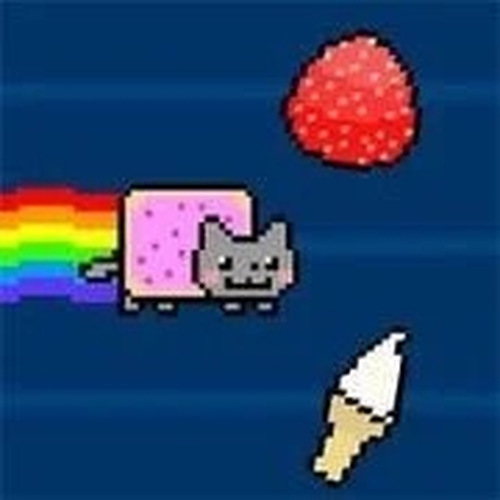
In Pixel Cat Cloud Runner, the player controls the vertical position of a pixelated cat as it moves automatically across the screen. The objective is to collect as many glowing stars as possible, which appear at varying heights. Touching a dark cloud or other obstacle ends the current run. The controls are responsive and straightforward, requiring only taps or clicks to adjust altitude. This simplicity allows players to focus on timing and pattern recognition rather than complex inputs.
Visual Style and Atmosphere
The game features bright, pixel-art graphics with a pastel color palette. The sky background shifts through soft gradients, and the cat character is animated with a playful bounce. The overall aesthetic is lighthearted and non-threatening, suitable for all ages. A looping chiptune soundtrack adds to the cheerful mood without becoming distracting. The visual design reinforces the casual, stress-free nature of the experience.
Scoring and Progression
Each collected star adds one point to the player's score. There are no power-ups or multipliers, keeping the focus on consistent performance. The game does not feature levels or checkpoints; instead, it offers an endless format where the only goal is to survive longer and collect more stars. This creates a natural progression as players learn to anticipate obstacle patterns and improve their reaction times. High scores are tracked locally, encouraging repeated attempts.
Obstacle Variety and Challenge
Obstacles appear as dark clouds of different sizes and positions. Some move horizontally, while others remain stationary. The challenge increases gradually as the game speed picks up over time. Players must learn to identify safe gaps and adjust their flight path quickly. The variety of obstacle placements ensures that no two runs feel exactly the same, providing ongoing engagement without requiring complex strategies.



Player Comments
0 comments