
Choosing Your Feathered Subject
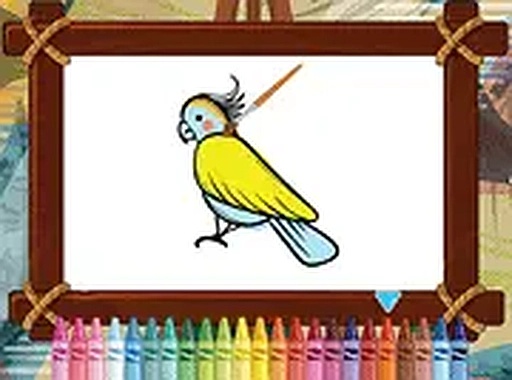
Players begin by selecting a bird image from a small collection of tropical species. Each illustration features distinct patterns and shapes, from broad wings to delicate tail feathers. The variety ensures that every session can feel fresh, whether someone prefers a parrot, a flamingo, or a toucan. This initial choice sets the stage for the coloring work ahead.
The Color Palette and Tools
After picking a picture, a palette of colors appears on the screen. Players tap or click a color to select it, then tap the area they want to fill. The interface is designed so that colors stay within the lines, helping younger users achieve neat results. The palette includes both bright and soft tones, allowing for realistic or imaginative combinations.
Working Through the Image
Coloring proceeds section by section. A common approach is to fill larger areas first, such as the body or wings, before moving to smaller details like the beak or eye. This method helps build confidence and keeps the process organized. The game does not rush the player, so each section can be completed at a comfortable pace.
Saving and Sharing the Finished Art
Once a bird is fully colored, players can save the final image to their device. This feature allows children to build a personal gallery of their work over time. Saved pictures can be printed or shared with family, turning a quiet activity into something to show off. The save function works with a simple button press.
Scoring and Feedback
The game includes a light scoring system based on how quickly each picture is completed. Faster finishes earn higher scores, but the main goal remains creative satisfaction. The score adds a gentle challenge without creating pressure, making the experience suitable for both casual play and more focused sessions.
Accessibility Across Devices
Tropical Bird Art Studio runs directly in a web browser on desktop computers, tablets, and smartphones. No installation or account creation is required. A full-screen mode is available for a larger view, and the controls work equally well with a mouse or a touch screen. This broad compatibility means the game can be played almost anywhere.





Player Comments
0 comments